Narconon
Getting Started with the Content Management App
Reguarly updating your center website with high-quality content that you then promote on social media and through email newsletters can significantly increase website traffic, improve search engine rankings, and establish credibility and authority for your Narconon Center.
In order to make it easier to submit articles to be published on your Narconon Center websites, a new online web application, the Content Management App, has been created and is now available for your use.
To access the new Content Management App, select the icon from the ABLE Portal dashboard.
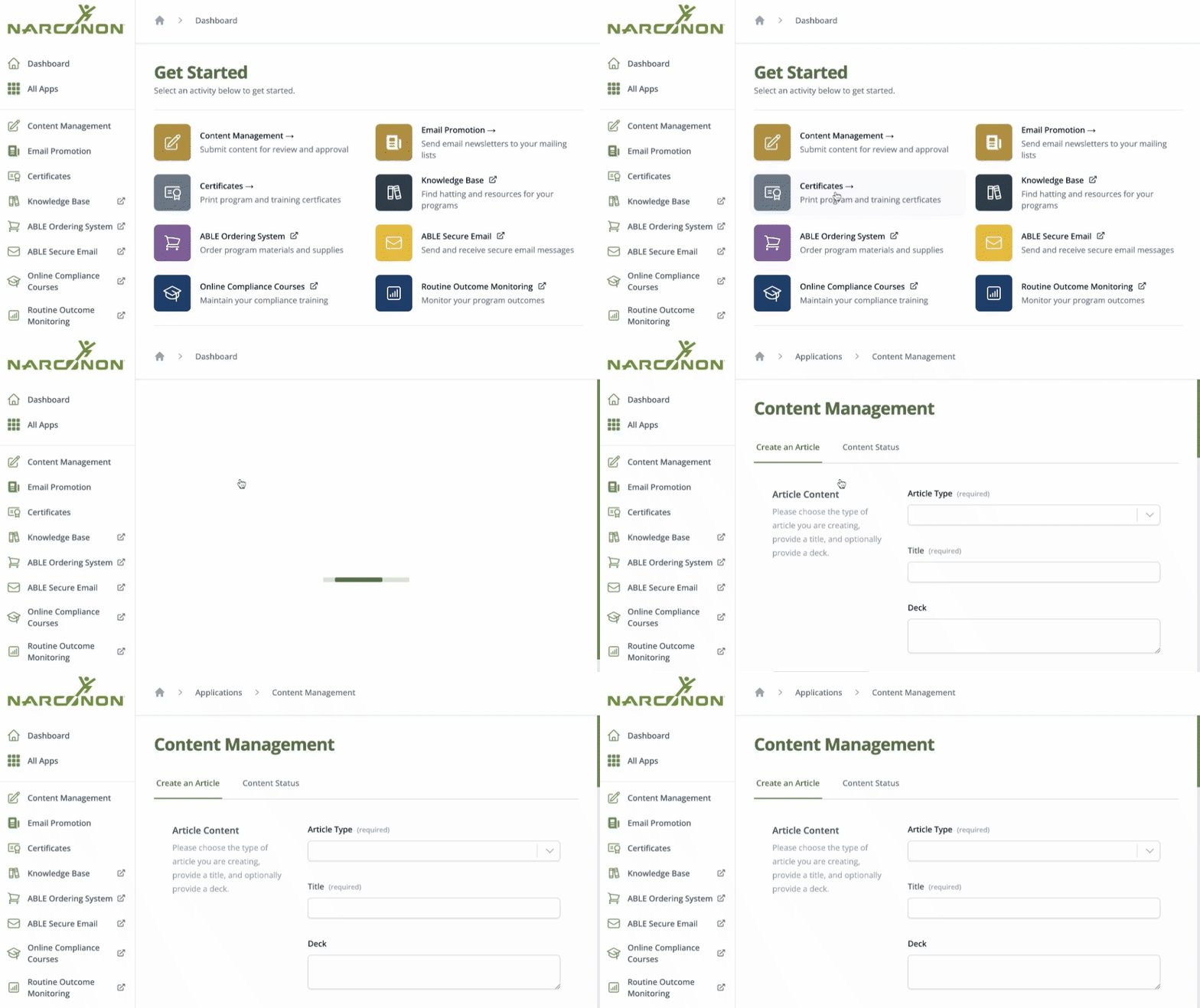
If you have the ABLE Portal, but do not see the Content Management App on your dashboard, request access using the Share Feedback button on the left side of the screen.
How to Use the Content Management App
Once you log in to the ABLE Portal and select the Content Management App, you will see the following tabs across the top of the App:
- Create an Article
- Content Status
By default, the Create an Article tab is active. To get started, select the Article Type you want to submit.
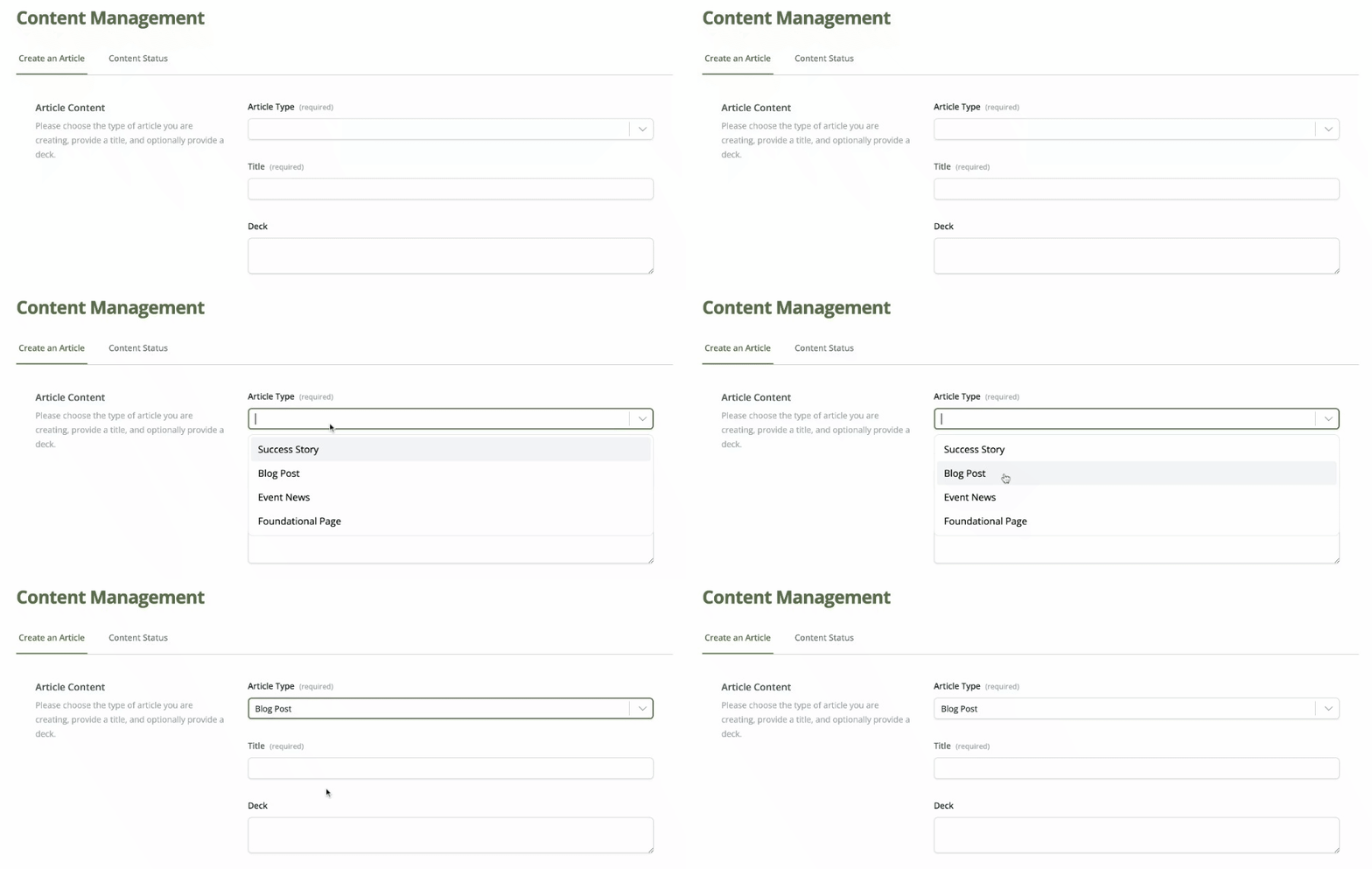
The Content Management App allows you to submit the following types of content to be published on your website:
- Success Story: These are success stories from recent and long-term graduates as well as their families. Wherever possible, success stories should include a photo of the graduate or family. These success stories are published in the Blog section of your website.
- Blog Post: These are articles about local drug trends, addiction news, articles containing advice for parents on how to help a loved one with addiction, etc. These are published on the Blog section of your website.
- Event News: These are articles about local events attended or held by your center, such as an event for drug awareness or a drug education presentation. These articles are published in the Blog section of your site, but are tagged as Event News. For major events, your story may be featured on the Narconon Int website in the News Section.
- Foundational Page: These are long-term articles that provide the "foundation" of content for your website. For example, a series of articles about the different types of drugs that are commonly used in your geographic location. These articles are not posted in the blog section of your website. These are generally longer, more fully written, and about overarching broad subjects. The blogs and success stories on your website would link to these articles as related content.
You will then be prompted to fill out a series of fields for your article:
- Title: This is the headline of your article or success story. The title should be interesting to attract the notice of your readers. You can craft your own title or choose a line from the success story or article that is particularly compelling.
- Deck: A deck is a newspaper term for the short article summary that accompanies a headline. A deck can be a phrase, or one or two sentences. The purpose of the deck is to interest the reader to continue reading the article. Including a deck is optional.
- Body Text: This is the main text of your article. This should minimally be 500 - 800 words in length. As a general guideline, a good length for a blog post is usually between 1,000 and 2,000 words. The body text goes in the large text field where you can format the text and also upload images.
- Sources: When information is cited or used for research to write an article, the sources must be provided in this field. Sources are the books, documents, or articles that are used to provide evidence in research. It is important that the sources used are authoritative and that you do not link to sites that promote other drug rehabs or that contain information contrary to the Narconon mission. Providing a link to a source online is a vote and an endorsement for that source, so choose your sources wisely.
- Summary (Blurb): The Summary (Blurb) appears on the listing page of the blog posts. This should provide a quick summary or introduction to interest the reader to click on the article. This can also be the first few sentences of your article.
- Teaser/Lead in: This is used when you share your article on social media. It’s purpose is to interest viewers to click on your article when they are scanning through their social media feeds. On Facebook, you include this text above your post and is an important piece to use in attracting the interest of public on social media so they click on your post and read the article on your website.
- Category: These are major divisions of content in your blog. Each article can only have one category. Examples of categories are: “Success Stories,” “Addiction,” “Drug Information.”
- Tags: These are used by your website to link various articles loosely together. Articles can have multiple tags. Examples of tags for a success story article that mentions their past addictions could be: “cocaine” and “alcohol.”
- Meta Description: This is a description that search engines, such as Google, use and display in the search results. This should contain important terms or keywords related to your article that you want your article to show for when public search on the internet.
- Writer: This is the author of the article. Or if the article is being shared on behalf of another, such as a graduate success story, this is the staff member who is posting the article.
If your article has any special requests or instructions, you can leave instructions in the Comments or Questions field. Examples of this include requests to create new categories, tags or special image requests.
Once you have filled out all the required options, verify you have fulfilled the requirements to submit your article and fill in the required attestation and select the Submit button.
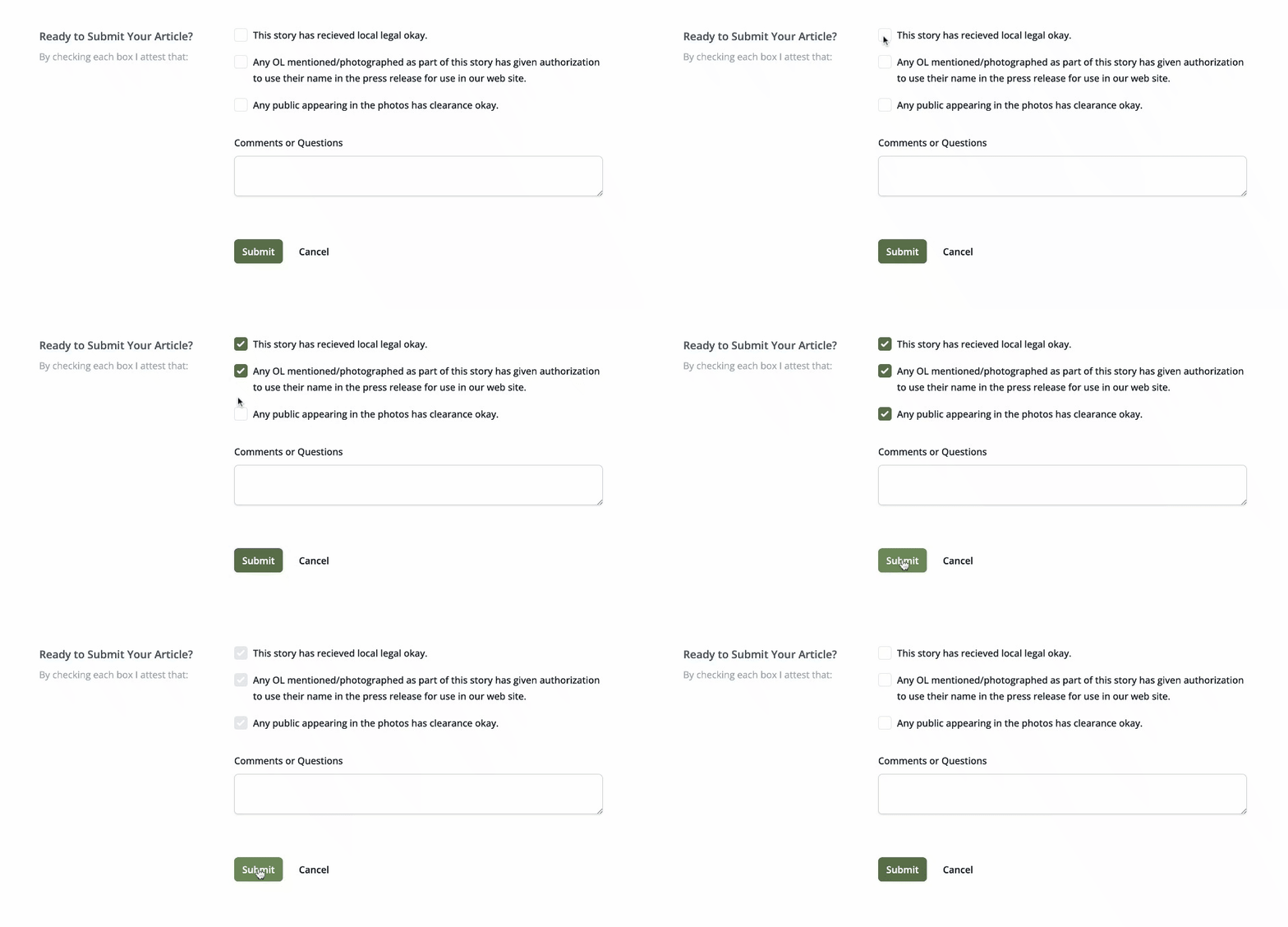
If there are any errors or missing information, any field that needs to be corrected will be highlighted in red with instructions on what needs to be corrected.
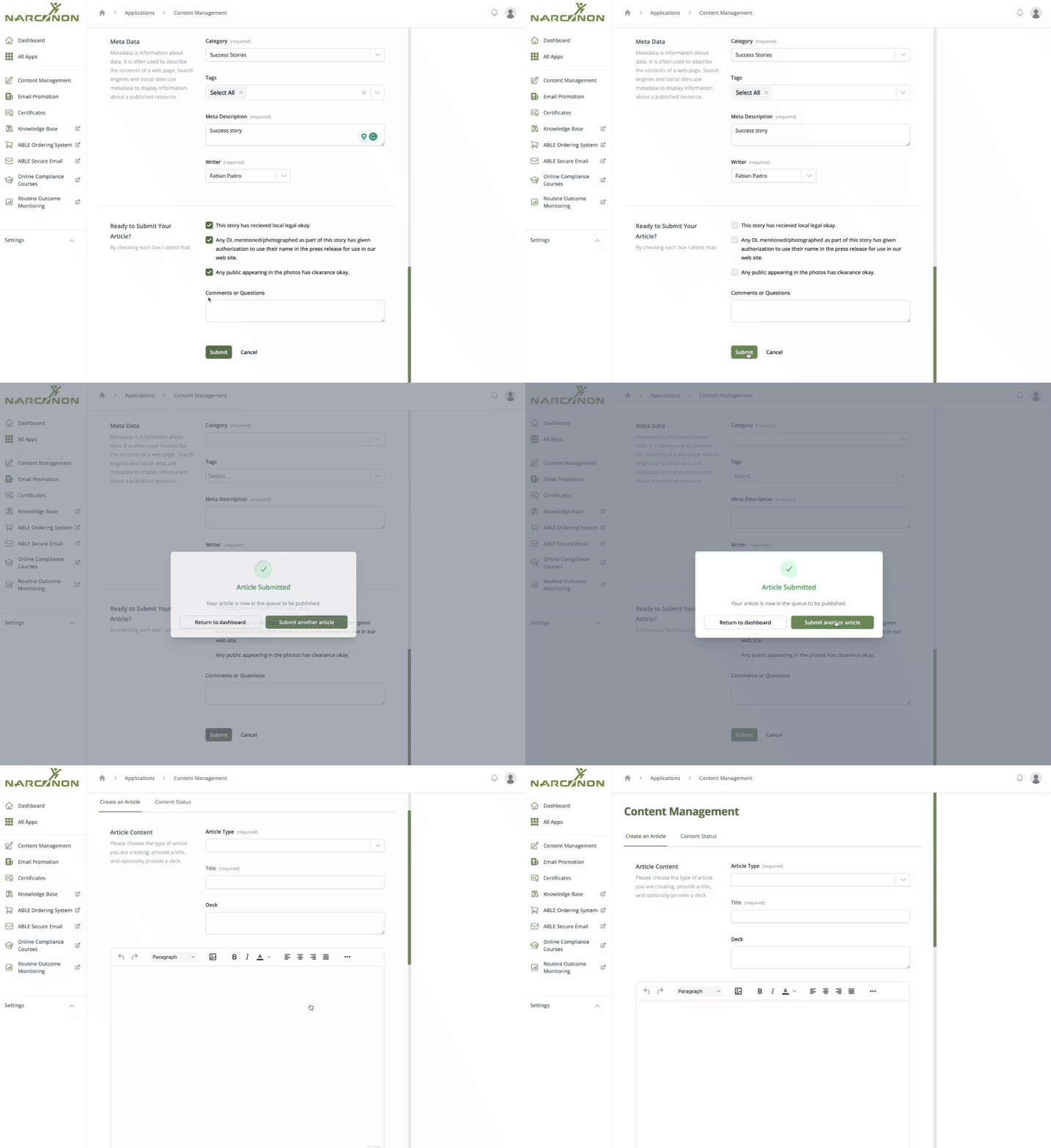
Once the article is successfully submitted, a dialogue box will appear telling you so.
View the Status of Your Content
After you submit your article, you can track its progress by clicking the tabs located under the Content Status tab at the top of the App.
Needs Correction
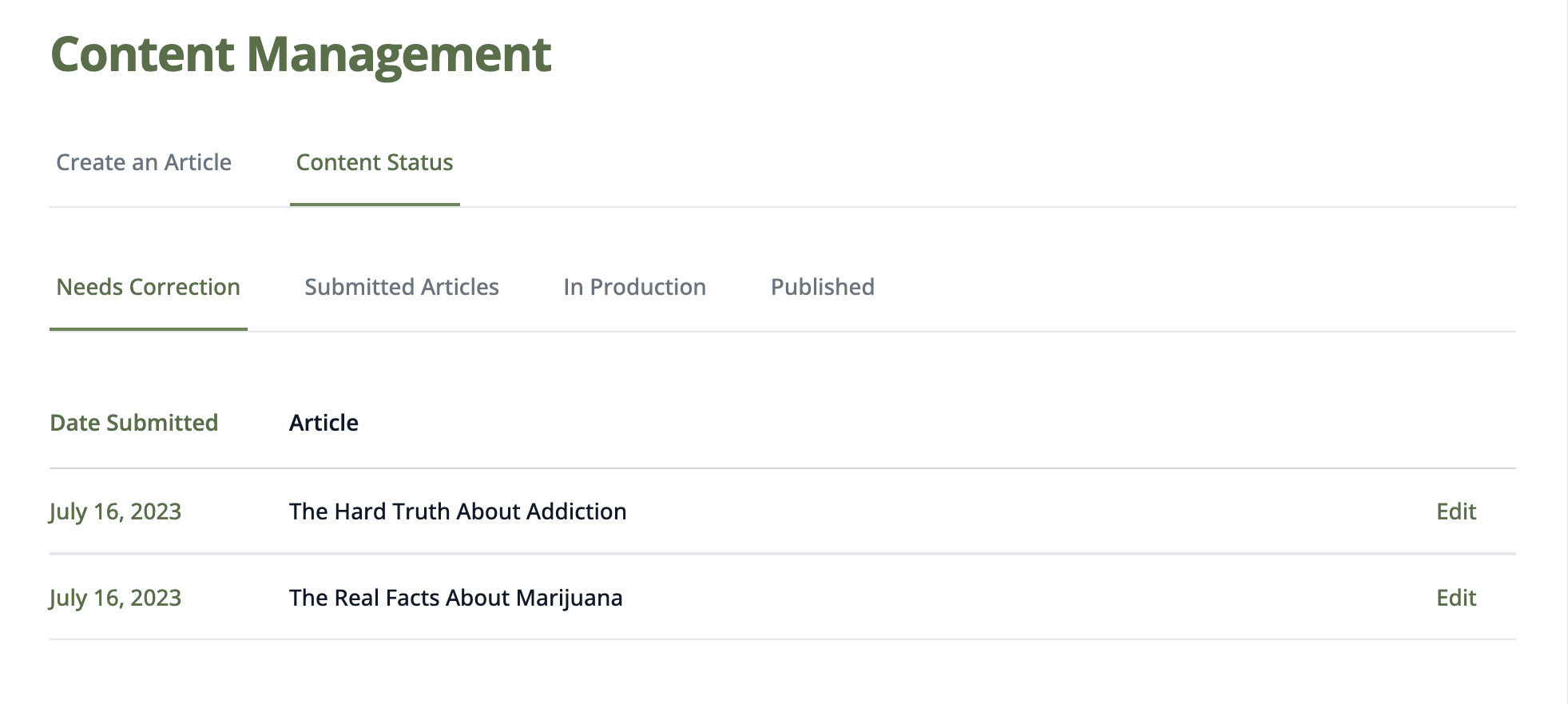
If your article requires editorial or legal corrections, you will find your articles in the Needs Correction tab. Be sure to check this tab regularly. In order to view the requested corrections, click the Edit link for the article you want to fix.
View Comments
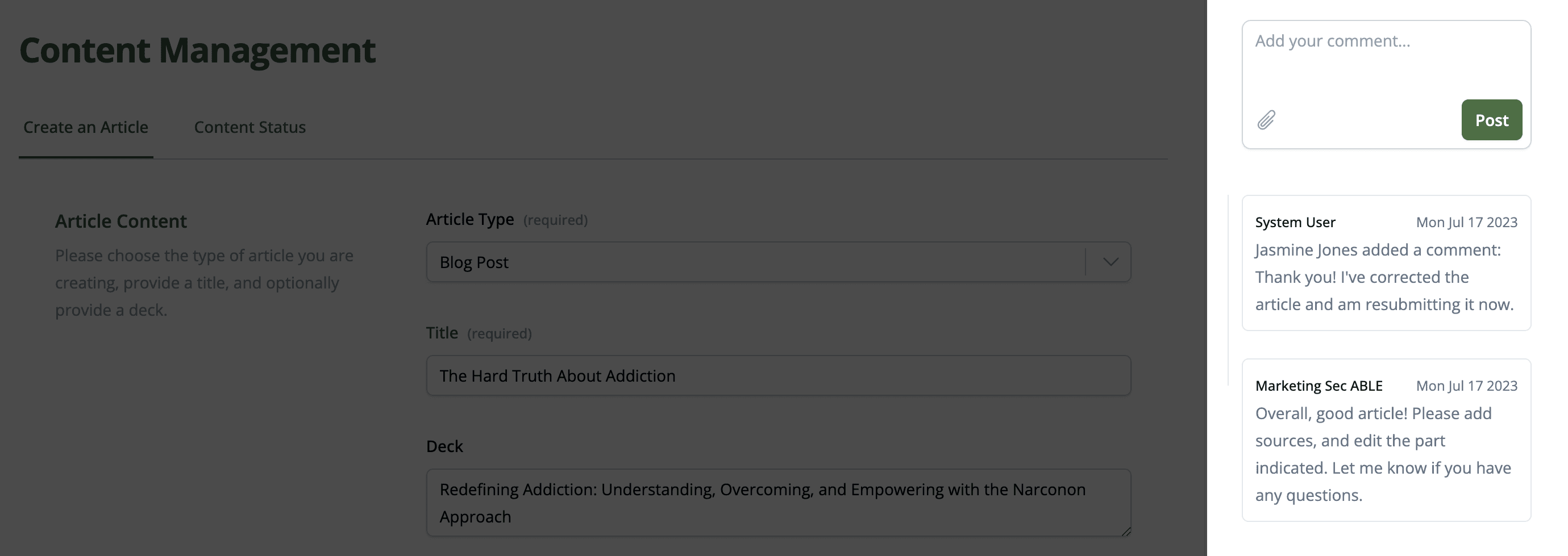
Once you have selected an article to edit, you can view and respond to any comments regarding your article in the right hand panel.
Submitted Articles
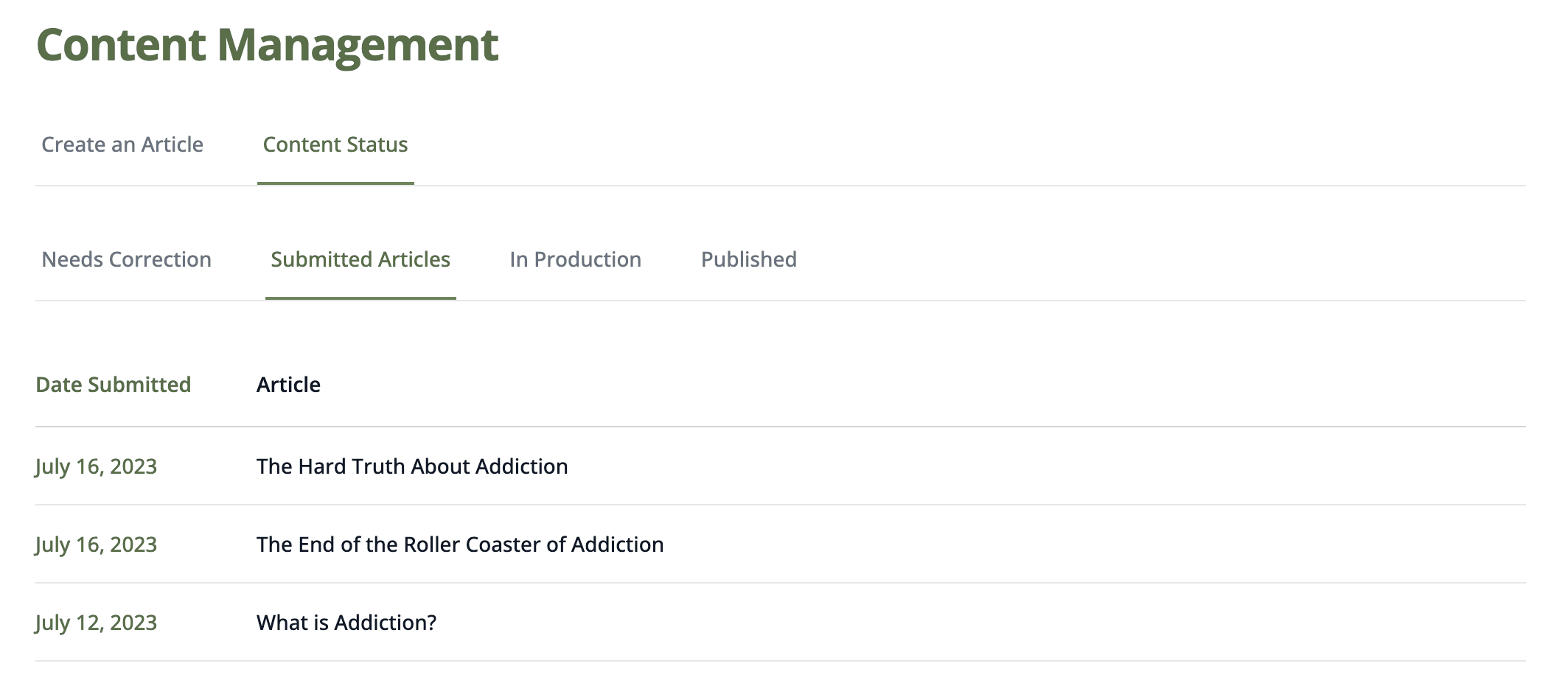
The Submitted Articles tab displays all of your centers articles which are submitted and waiting to be accepted for layout, editorial review and legal review.
In Production
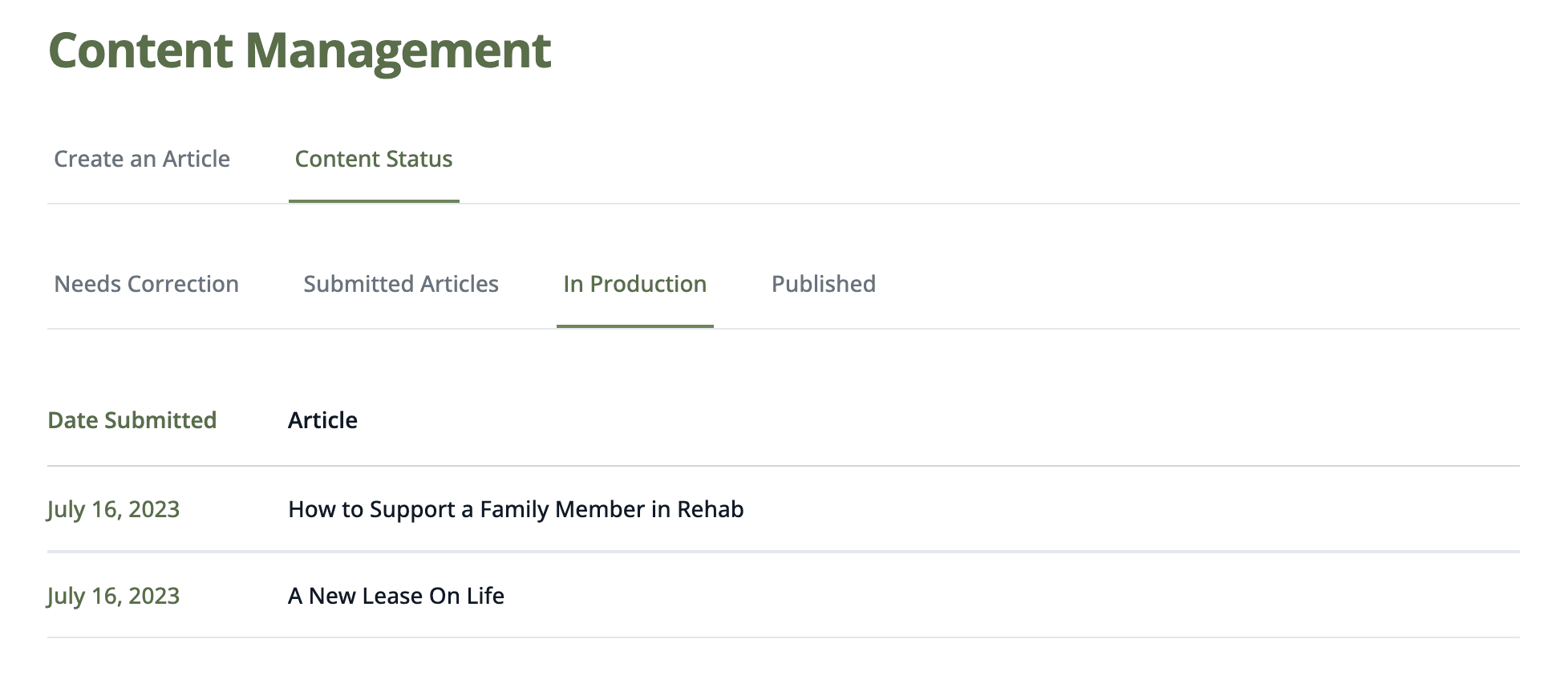
The In Production tab lists all articles which have been accepted and are going through editorial and legal reviews. This is where they receive their final layout, editorial review and legal review before they can be published on your site.
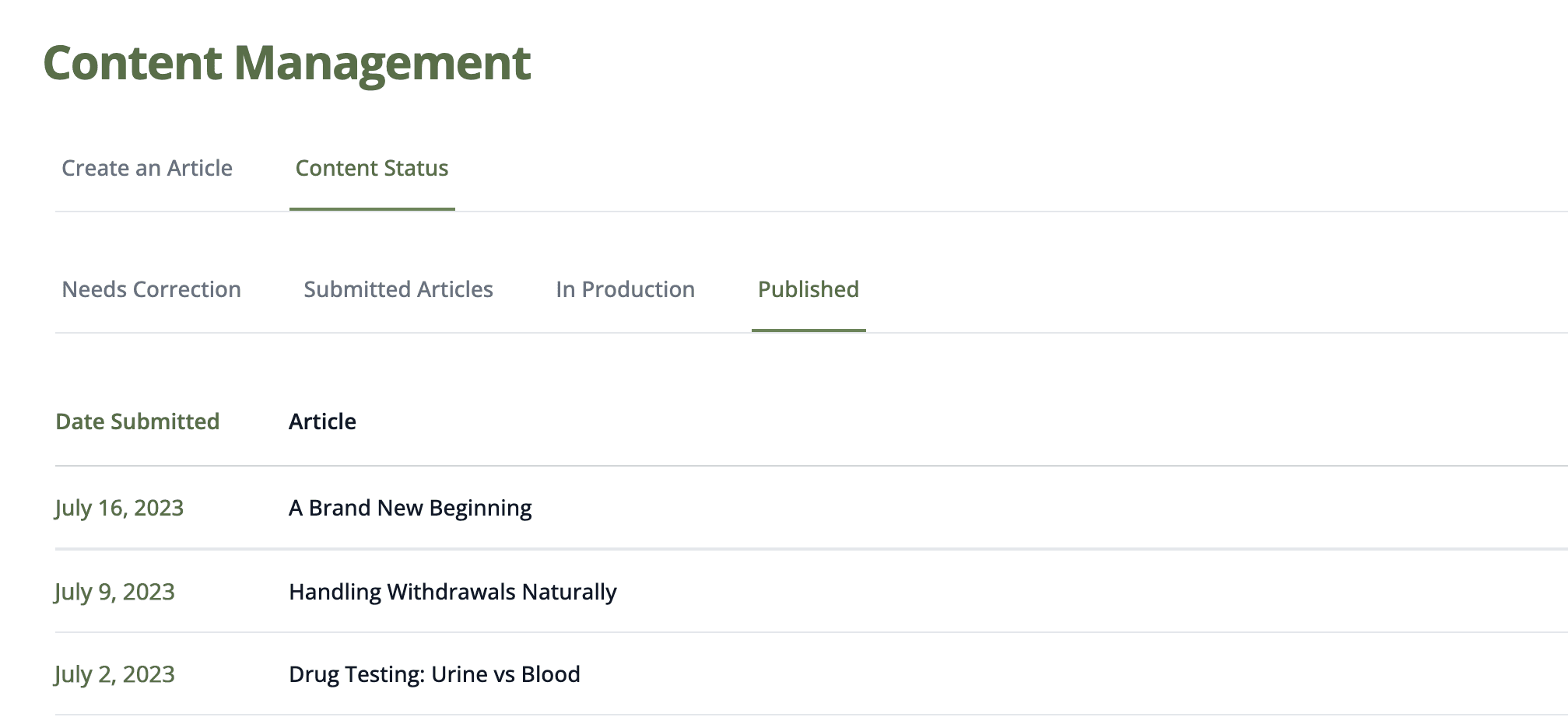
Published
Once your articles have been published and are live on your website, they will appear in the Published tab.
Assistance or Feedback
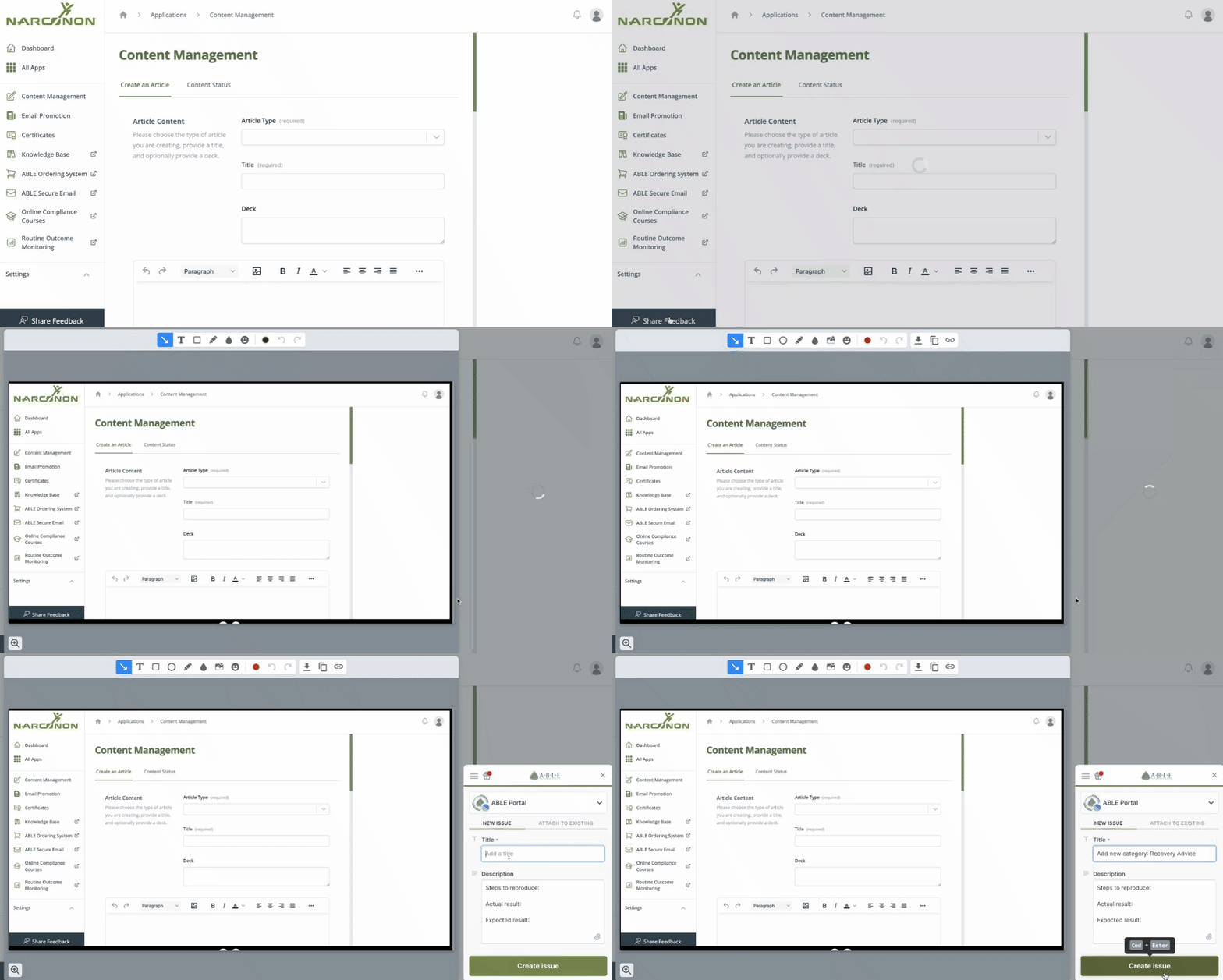
While using the Content Management App, if you need any assistance or have any requests, please share your feedback by selecting the Share feedback button in the App.
Summary
Use the Content Management App to submit success stories and articles to your website weekly. Consistently providing valuable, informative, and well-written content to individuals and families looking for solutions to drug and alcohol addiction can help build a loyal following and establish your center as a go-to source for information. This will assist with your center’s promotional activities to generate more interest and reaches from individuals and families for the Narconon Program.